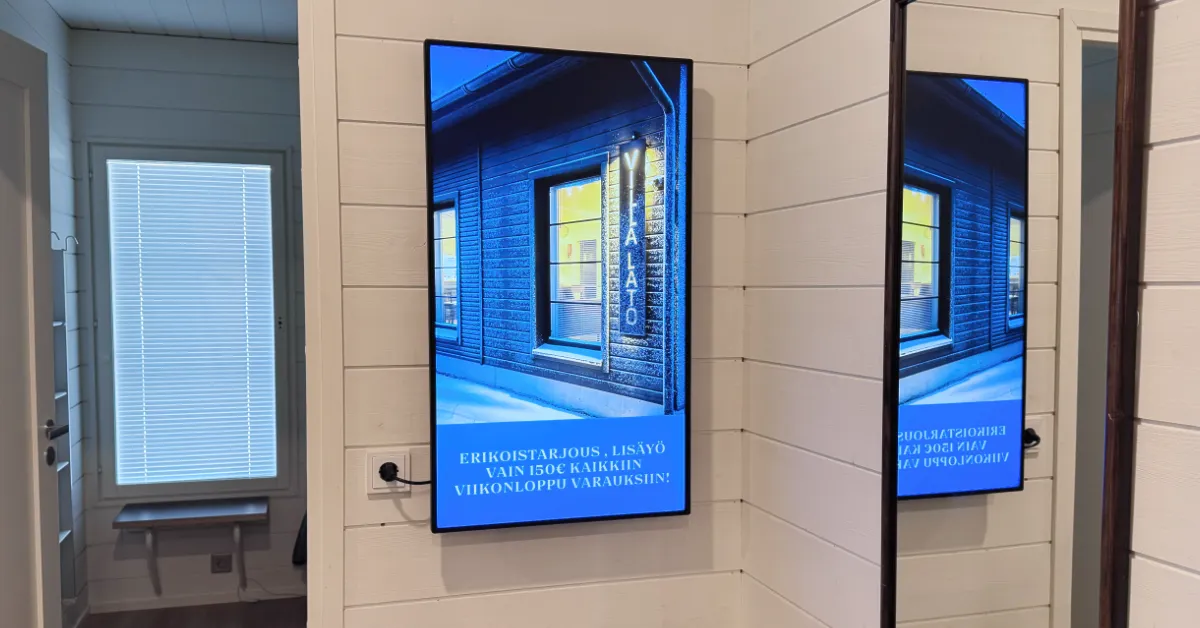
Digital signage is a USD 21.45 billion global market in 2025. Learn what it is, how it works, what it costs, and which display type fits your business.
Key Takeaways
- Digital signage is a USD 21.45 billion global market in 2025, growing at 6.1% per year (MarketsandMarkets, 2026).
- 58% of shoppers actively notice in-store digital displays; nearly half say it influenced a purchase (Mood Media, 2024).
- A single-screen setup typically costs USD 680–3,400+ upfront; cloud software starts from €7 per screen per month.
- Cloud-managed systems let you update every screen instantly from any browser, no site visits needed.
What Is Digital Signage?
Digital signage is the use of electronic screens to display dynamic content (advertising, menus, announcements, wayfinding, live data) in a physical space. It replaces printed posters and static signs with something you can update in seconds from anywhere. The global market reached USD 21.45 billion in 2025 and is forecast to hit USD 28.88 billion by 2030 at a 6.1% compound annual growth rate, according to a February 2026 MarketsandMarkets report.
The appeal is practical. Instead of printing a new menu or poster every time something changes, you update a file and it appears on every screen within seconds. That shift from static to dynamic communication is why businesses from small cafés to large hospital networks have moved to digital signage in recent years.

Digital signage vs. a TV on a USB loop
Many businesses start with a TV playing a slideshow from a USB stick. It works, but updating the content means physically swapping the stick. Digital signage replaces that loop with a cloud-managed system: content changes push remotely, schedules run automatically, and every screen stays current without anyone visiting the location.
Digital signage, digital display, electronic signage: what's the difference?
The same thing goes by several names, and they overlap in everyday use. In practice they all mean a digital screen whose content is updated through software. The differences are mostly emphasis and use case.
- Digital signage: the most common umbrella term. Any screen used to show information or advertising in a physical space.
- Digital display or digital sign: the same thing, emphasising the screen itself. Often used interchangeably with digital signage.
- Electronic signage: a more formal synonym, common in tenders and public-sector specifications.
- Advertising or promotional display: digital signage used specifically for sales and marketing, typically in retail, restaurants, and windows.
- Cloud-managed (remote-managed) signage: emphasises that content updates remotely from a browser, not on the device. InfoBox is exactly this: one cloud platform manages every screen.
Which term feels natural depends on the industry: a restaurant talks about menu boards, a retailer about promotional displays, an office about info screens. The device and software stay the same. See how different sectors use them in our industry solutions.
How Does Digital Signage Work?
Every digital signage system has three layers: hardware (the screen and media player), software (the cloud dashboard), and content. Understanding all three helps you choose the right setup and avoid overpaying for features you won't use.
Hardware: screen and media player
The screen can be a standard TV, a commercial-grade display, an outdoor weatherproof panel, or an LED video wall. In most indoor settings (restaurants, offices, retail stores) a consumer TV works perfectly. Commercial displays are worth the premium only for specific situations: outdoor exposure, direct sunlight, or demanding 24/7 industrial use.
The media player is a small device that plugs into the screen's HDMI port. It runs the signage software and handles content playback. Players range from USB-stick-sized devices (like InfoBox) to small boxes the size of a paperback. The player needs a Wi-Fi or ethernet connection to receive content updates from the cloud.
Software: the cloud control layer
Cloud-based signage software is where the real work happens. You log in from any browser, build playlists, upload images and videos, and set schedules. Content pushes to screens automatically. No one needs to visit the location. Changes appear on screen within seconds.
Good software handles scheduling (show the lunch menu at 11am, switch to dinner at 5pm), multi-screen management (update 20 locations at once from one dashboard), and user roles (let branch managers change local content without touching other locations). Most platforms include a template library so you don't need a designer to get started.
Content: what actually shows on screen
Content is typically built in Canva, PowerPoint, or Adobe Express, then uploaded as images, videos, or HTML. Most platforms also support live data feeds: weather, social media, sales dashboards, or news tickers. This is where the return on investment happens: relevant, regularly updated content outperforms a static slide left on loop for months.
Types of Digital Signage Displays
Digital signage hardware covers a wide range. The right type depends on your environment, placement, and what you need it to do.
- Standard indoor displays: consumer TVs or commercial monitors for restaurants, offices, and shops. The most cost-effective starting point for most businesses.
- High-brightness window displays: screens rated 1,500–4,000 nits that stay readable in direct sunlight. Needed for window-facing placements in bright environments. See our window display guide.
- Outdoor displays: weatherproof panels with IP ratings for rain, frost, and full sun. Built for enclosures or freestanding installations outside. More on outdoor displays.
- Touchscreen kiosks: interactive displays for self-service ordering, wayfinding, or product catalogs. More complex to deploy, but powerful for high-traffic locations.
- LED video walls: large-format displays built from tiled panels. Common in retail flagships, stadiums, and transport hubs. A significant investment, best suited for high-visibility flagship locations.
Where Is Digital Signage Used?
Digital signage turns up in almost any environment where information needs to reach people in a physical space. Here's how different industries use it in practice.
🍽️ Restaurants & cafés
Digital menus that update when a dish sells out, lunch specials that switch to dinner automatically, promotional videos during slow periods. Eliminates menu printing costs entirely.
🛍️ Retail stores
Promotions at the point of purchase, product launches, seasonal campaigns synced across multiple locations. Mood Media (2024) found 36% of shoppers under 40 made a purchase due to digital display content.
🏢 Offices & workplaces
KPI dashboards, shift schedules, safety alerts, company announcements, meeting room availability. Replaces email for time-sensitive information that needs to reach everyone in a space immediately.
🏗️ Construction & industrial
Safety instructions, shift start times, and site procedures displayed in break rooms and entry points. Keeps critical information visible without relying on printed notices that go unread.
Hotels display event schedules and local information in lobbies. Healthcare facilities use signage for queue management, patient instructions, and wayfinding in large buildings. Sports venues promote concessions and upcoming events. The pattern is consistent: anywhere a business needs to communicate with people in a physical space, digital signage outperforms static alternatives.
Does Digital Signage Actually Work?
A 2024 Mood Media survey of 1,000 U.S. consumers found that 58% of shoppers actively notice in-store digital displays, and nearly half report that display content has influenced a purchase decision. Among shoppers under 40, 36% said they made a purchase specifically because of what they saw on a digital display. An earlier Arbitron study put the impulse purchase figure at 19% of consumers who had seen digital signage advertising.
These numbers reflect well-executed signage. A poorly maintained screen with outdated promotions won't move the needle. The key variable is content relevance and freshness, and that's precisely what cloud-managed systems solve. When updating content takes 30 seconds instead of a trip to the location, businesses actually keep it current.
What Does Digital Signage Cost?
Costs depend heavily on the approach. A 2025 Rise Vision cost analysis puts the initial investment for a single-screen setup at USD 680–3,400+, covering the display, media player, software, and basic installation. The spread is wide because a standard TV with a plug-and-play media player sits at the low end, while a large commercial display with professional installation sits at the high end.
Ongoing software costs vary more than people expect. Enterprise platforms charge USD 20–50 per screen per month. Simpler cloud-based solutions start much lower. InfoBox software starts from €7 per screen per month on an annual plan, with the hardware available from a €59 one-time purchase. For a small business with one or two screens, the total first-year cost is often under €300 all-in.
The economics typically work out quickly. If digital signage replaces even a few print runs per year, or drives a modest uplift in sales, the payback period for a simple setup is usually a few months.
How to Get Started
Setting up digital signage doesn't require an IT team or a long project. Here's the basic process for a single-screen setup:
- Choose your screen. A TV you already own works in most indoor settings. For window-facing or outdoor placements, see our window display guide.
- Get a media player. A plug-and-play device connects to the TV via HDMI and runs the software. No separate computer needed.
- Set up your content. Upload images and videos, or use templates in the cloud dashboard. Set a schedule if you want content to change at specific times automatically.
- Go live. The screen starts displaying your content automatically. From that point on, all updates happen remotely from any browser.
Comparing hardware options? Our digital signage media player comparison covers seven systems side-by-side on price, features, and ease of setup.
Frequently asked questions
Do I need a commercial display or will a regular TV work?
For most indoor settings (restaurants, offices, retail stores) a standard TV is perfectly adequate. Commercial displays make sense for outdoor use, direct sunlight exposure, or demanding 24/7 industrial environments. See our full TV vs. commercial display comparison for details.
How much does digital signage software cost?
Pricing ranges from €7 per screen per month for simpler platforms (InfoBox annual plan) to USD 50+ for enterprise systems. Most small businesses need content scheduling, remote updates, and basic templates, and the lower-cost options cover these well.
Can I run digital signage without an internet connection?
Cloud-managed systems need an internet connection to receive content updates. If the connection drops, the media player continues playing the last downloaded playlist, so screens don't go blank. A stable Wi-Fi or ethernet connection is recommended for real-time updates.
How long does initial setup take?
With a plug-and-play system, most customers have content on screen within 15 minutes of opening the box: plug the media player into HDMI, connect to Wi-Fi, log into the dashboard, upload your content. No installer or IT support needed for a basic setup.
What content works best on digital signage?
Clear visuals, short text, and strong contrast read well at a distance. Video and animation capture more attention than static images. Keep individual slides to 5–10 seconds for simple content, 15–20 seconds for more detailed messaging. The single biggest factor is how often content is updated: a fresh screen is harder to ignore than one showing the same slide for weeks.

Author
Kasper Välimäki
CEO, InfoBox
Kasper is the founder and CEO of InfoBox. He has helped hundreds of Finnish businesses deploy digital signage in restaurants, retail stores, offices, and construction sites.
Learn more