Digital signage offers flexible solutions for businesses of all sizes, from large retail chains to single-location restaurants. We compare eight different use cases and the providers that fit each one.
Summary
Digital signage has become one of the most effective tools for in-location marketing and communication. But choosing the right digital signage platform depends on your business size, number of locations, and who needs to update content. There is a big difference between what a 50-store retail chain needs and what a single restaurant owner needs. Paying for enterprise features you will never use is just wasted money.
Prices in the market vary dramatically. The cheapest solution is not always the best fit, but buying a full enterprise platform for one café makes no sense either. Read through the eight segments below, find the one that matches your situation, and see what comparable businesses are actually using.
1. Large Retail Chains: Chain-Controlled Content
At 20+ locations, digital signage becomes an operational necessity, not just a marketing tool. When you have dozens or hundreds of stores, you need to push a campaign update to all of them simultaneously. Individual store managers should not be editing content themselves, though they may need to add local exceptions. The system has to support both without creating chaos.
This segment requires role-based permissions, campaign calendars, reporting dashboards, and often integration with a POS system or product database. Onboarding and training take time, and you commit to a platform for years.
- Locations: 20+ locations
- Display count: 100+ displays
- Providers to consider: EWQ Zone, SeeSignage
EWQ Zone
EWQ Zone is a Finnish digital signage platform built specifically for large chain operations. It supports a multi-layer organisation structure: the chain level can lock brand elements while store level can edit local campaigns within defined zones. Pricing is typically based on an annual licence, and onboarding is handled as a project delivery. Best suited for retail and fuel station chains.
SeeSignage
SeeSignage is a Helsinki-based cloud platform used mainly in retail and commercial real estate. It provides a strong content calendar, display group management, and real-time content distribution. It also suits chains where some content comes from external advertisers, since permissions can be scoped precisely. Pricing is a per-display monthly fee and scales from hundreds to thousands of screens.
InfoBox for larger chains
InfoBox scales to 20+ location chains and thousands of displays. If you do not need full enterprise-grade role hierarchies or deep POS integrations, InfoBox is often faster to deploy and significantly more affordable. Talk to us directly if you are unsure whether the platform fits your scale.
2. Small Chains and Franchise Networks
A 5–20 location chain has different challenges than a large one. The budget is tighter, IT support is often outsourced or non-existent, and business owners want to update content themselves without needing a consultant. At the same time, there needs to be some brand-consistent framework that individual locations can build on.
In franchise models, the dynamic is specific: the franchisor wants brand consistency, but each franchisee wants to advertise their own promotions. A good platform for this segment provides ready-made templates and a clear structure defining what can and cannot be changed at the local level.
- Locations: 5–20 locations
- Display count: 20–100 displays
- Providers to consider: Storefy, JNT Digital Signage
Storefy
Storefy is a platform designed for Nordic SMB chains with a deliberately simplified interface. It supports templates and a content library maintained by the chain's marketing team. An individual store selects promotions from the library and does not need to know visual design. Pricing is based on the number of locations as a monthly fee.
JNT Digital Signage
JNT's digital signage service (which absorbed the former DisplayIT platform) focuses on restaurant and café chains with strong POS integrations, so menu changes update on screens automatically. This is its core strength, and it suits chains where the menu changes frequently.
InfoBox for small chains
InfoBox is also a strong option for 5–20 location chains that want centralised management without the contract complexity of Storefy or JNT. Permissions can be set per location, and content is managed through the browser-based InfoBox Platform without IT involvement.
3. Single Locations: Restaurants, Shops, and Bars
One location, a few screens. You do not need an organisational hierarchy or a campaign calendar. You need a device that plugs into your TV via HDMI, software you log into from a browser, and the ability to swap an image or video in a few minutes. That is it.
Single cafés, barbers, kiosks, and bars value above all that the system is reliable, requires no IT support, and costs a reasonable amount. Content updates should be possible from a phone between tasks, not only from a desktop at the office.
- Locations: 1–5 locations
- Display count: 1–20 displays
- Best solution: InfoBox
InfoBox: Best choice for small businesses
InfoBox is designed specifically for small businesses that want an easy, affordable solution. The Plug & Play device connects to your TV's HDMI port and works immediately. Content is managed from the browser-based InfoBox Platform from anywhere.
- Device from €59 (one-time)
- Software from €7/month per screen
- Remote management, scheduling, unlimited users
- See all pricing
4. Outdoor Advertising
An outdoor display is a completely different animal from an indoor screen. A standard consumer TV cannot handle direct sunlight, freezing temperatures, or moisture. Outdoor digital signage requires either a commercial-grade outdoor display or a separate weatherproof enclosure, and the software must work reliably over the network even in cold conditions. Brightness is another factor: indoor screens manage fine at 300–400 nits, but outdoors you need at least 2,500 nits for content to be visible in sunlight.
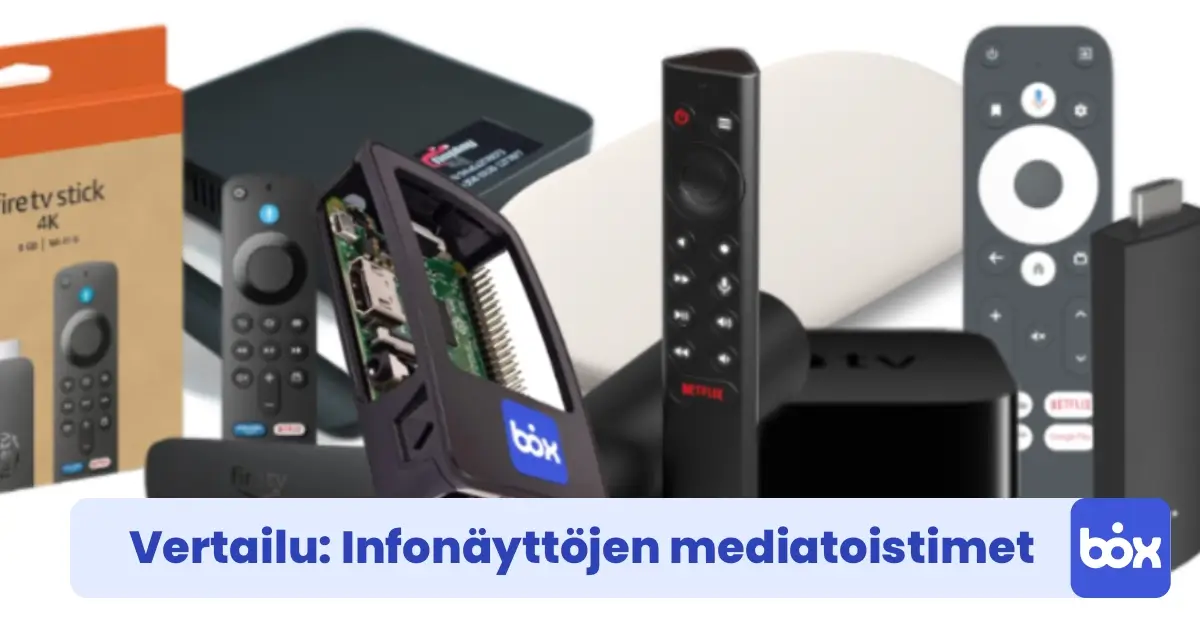
Outdoor signage works well for high-street shop windows, restaurant terraces, petrol stations, and building entrances. Content can mirror what is shown indoors or be specifically designed to capture passing foot traffic. See also our media player comparison for outdoor hardware requirements.
- Locations: 1–10 locations
- Display count: 1–20 displays
- Best solution: InfoBox for outdoor use
5. Offices and Commercial Properties
In an office, displays serve two different audiences: employees and visitors. Employees see company news, shift rosters, and safety notices. Visitors see wayfinding, a lobby welcome message, and the company brand. Both can live in the same system as long as displays can be grouped separately.
The specific challenge in office environments is that multiple people may need to update content: HR posts staff announcements, communications handles brand materials, and the receptionist updates lobby directions. A good system gives each person the right access without requiring an IT ticket every time.
- Locations: 1–10 locations
- Display count: 1–30 displays
- Best solution: InfoBox for offices
InfoBox suits office use well because users can be added without limit and each person can be given their own permissions. The device connects to a conference room or lobby TV without any IT installation.
6. Healthcare and Pharmacies
In pharmacies and health centres, displays have a clear role: shortening perceived wait times and delivering useful information exactly when the patient is sitting in the waiting area. Research shows that waiting customers underestimate queue time by 30–35% when they have something to watch. Healthcare digital signage is therefore as much about customer experience as it is about marketing.
Pharmacies can show seasonal product highlights, health campaigns, and medication guidance. Health centres display care instructions and current notices. Content needs to be updateable quickly and remotely, since campaign materials can change week to week.
- Locations: 1–5 locations
- Display count: 1–10 displays
- Best solution: InfoBox for pharmacies
InfoBox fits pharmacy and health centre use because it does not require staff to know graphic design. Images and videos are uploaded to the platform and scheduled a week at a time.
7. Construction Sites and Industry
Safety communication is a legal requirement in construction, but paper notices disappear and nobody reads long emails during a lunch break. A display in the canteen or site entrance is an effective way to ensure safety instructions, site rules, and current hazard notices reach every worker, including subcontractors.
Construction sites present infrastructure challenges: network connectivity can be unreliable, devices need to handle vibration and dust, and installation has to happen quickly without fixed cabling runs. A modular setup where the player is a small media stick rather than a full PC works best in this environment.
- Locations: 1–5 sites
- Display count: 1–10 displays
- Best solution: InfoBox for construction
InfoBox works on a 4G connection, so no fixed network cabling is needed. Content is updated remotely from the office, and the site supervisor never needs to touch the device.
8. Events and Temporary Use
For a trade show stand, a sports competition, or a corporate event, buying an expensive permanent system makes no sense. What you need is something you can set up in 30 minutes, run reliably for the duration, and pack into a bag when you leave.
Event signage content is usually prepared in advance. The device is plugged into a venue TV or a rented screen, content is uploaded to the platform and scheduled to run at the right time, and any last-minute changes, such as live results or updated schedules, can be made from a phone mid-event.
- Event size: Small to medium events
- Display count: 1–10 displays
- Best solution: InfoBox Plug & Play
The InfoBox media player fits in a laptop bag and costs under €60. The software subscription can be taken month-to-month, so there is no long-term commitment required.
How to Choose the Right Solution
If you have one or a few locations and want a straightforward way to manage displays yourself, InfoBox is almost certainly the right fit. If you have grown to a 10–20 location chain and need a campaign calendar with clear store-level role separation, Storefy or JNT are worth evaluating. For large chains where IT is involved in the procurement, EWQ Zone and SeeSignage offer the governance layer you will need.
Do not buy more than you need. Many businesses have purchased expensive enterprise software only to find it too complex for everyday use. For a small business, what matters most is that the system actually gets used, not that it has the most features.
Not sure which category you fall into? Book a free 15-minute demo and we will go through your needs together to find the best fit.
If you'd rather take the whole package on a monthly fee, digital signage leasing is also available: a Hisense or Maxhub professional display (32–100 inches), InfoBox software, wall mount, and pre-installation in one package starting at €24 per screen per month (36-month lease through Grenke). A natural fit when you want a ready-to-go package on a single monthly price rather than a separate hardware purchase.

Author
Kasper Välimäki
CEO, InfoBox
Kasper is the founder and CEO of InfoBox. He has helped hundreds of Finnish businesses deploy digital signage in restaurants, retail stores, offices, and construction sites.
Learn more