A working digital signage setup starts from €59 with InfoBox. Three routes to get your first screen running for under €200, including what to buy, what to avoid, and what you can actually do with a budget setup.
Key Takeaways
- A working digital signage setup starts from €59, just add a TV you already own.
- Three routes: use an existing screen (€59), buy used (€120–220), or buy new (€220–360).
- Software starts at €7/month per screen on an annual plan, no long-term contract required.
- Budget setups include full remote management, scheduling, and multi-format content support.
Can You Really Get Digital Signage for Under €200?
Yes, and the secret is that the screen is often the most expensive part, and you may already own one. Digital signage requires three things: a display, a media player, and software. The media player is what most people don't realise they need, but at €59 for InfoBox it's the most affordable piece of the puzzle.
The misconception is that digital signage means buying a commercial display with a built-in system from a specialist vendor. That approach can cost €800–2,000 per screen. The reality for most small businesses (restaurants, cafés, retail shops, offices) is that a standard TV you already own or can buy second-hand for €50 does the job perfectly.
Below we break down the three routes to getting your first screen running, what each actually costs, and what you can do with the setup once it's live.
What You Actually Need: 3 Components
Before looking at price tiers, it helps to understand exactly what a digital signage setup consists of. There are three parts, and two of them are very cheap.
📺 The Screen
Any TV or monitor with an HDMI port. Full HD (1080p) is the minimum, 4K is a nice bonus but not necessary for most content. Size depends on viewing distance: 43" works well up to 4–5 metres.
📦 The Media Player
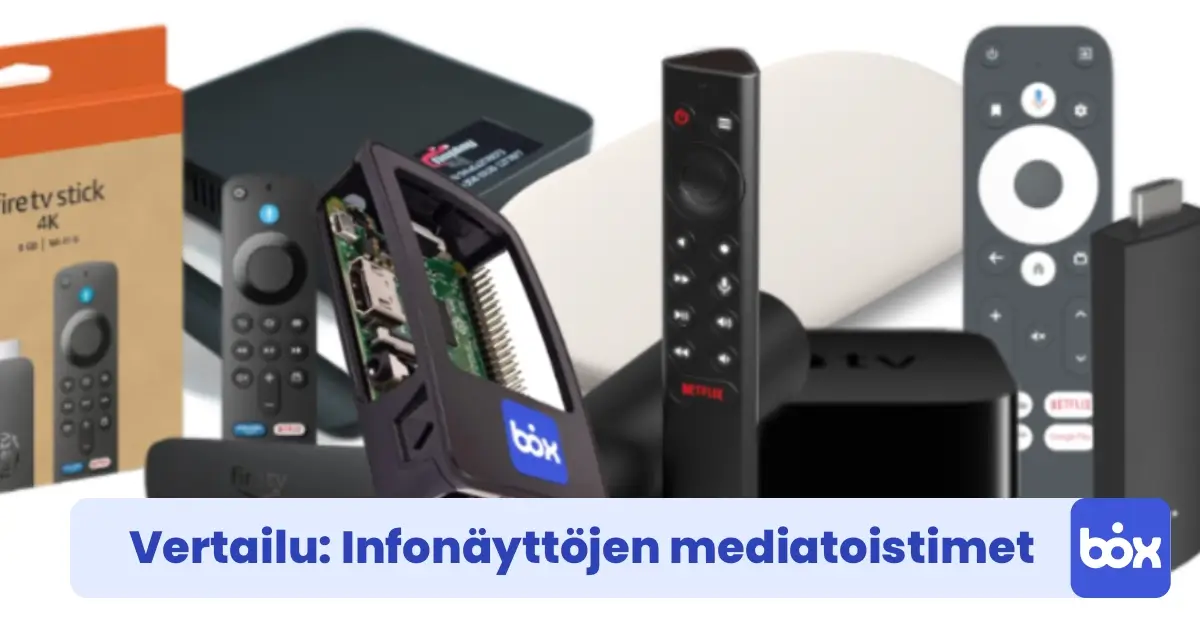
A small device that plugs into the TV's HDMI port and runs the signage software. InfoBox is roughly the size of a USB stick. It connects to your Wi-Fi and keeps the screen awake and updated automatically.
☁️ The Software
A cloud dashboard where you upload content, set schedules, and manage what shows on screen. InfoBox Platform starts at €7/month per screen. You log in from any browser, anywhere.
The screen is the only variable in the budget. The media player (€59 one-time) and software (from €7/month) are fixed costs regardless of which display route you choose.
Option 1: Use a Screen You Already Own
If there's an old TV or monitor gathering dust in a back room, you may already have everything you need except the media player. This is the cheapest possible path to a working digital signage setup, and it's surprisingly common. Many InfoBox customers start this way before expanding to more screens.
From €59
One-time hardware cost
- Existing TV or monitor: €0
- InfoBox media player: from €59
- HDMI cable (if needed): €0–5
The main things to check before reusing an old screen: does it have an HDMI port? (virtually all TVs made after 2010 do), is the screen size appropriate for the viewing distance, and is there a power outlet and Wi-Fi signal nearby? If yes to all three, you're ready to go.
One genuine limitation of older TVs: anything more than 5–7 years old may not support 4K content and may have lower brightness. For indoor use in a normally lit room, this is rarely a problem. If the screen will face a window with natural light, see our window display guide for brightness requirements.
Option 2: Buy a Used Display
If you don't have a spare screen, online marketplaces offer well-maintained second-hand TVs for €50–150. A 43" or 50" Samsung or LG from 2018–2021 in this price range gives you a solid display with good brightness, Full HD or 4K resolution, and multiple HDMI ports. Look for screens with less than 3,000 hours of use if the listing includes it.
€120–220
One-time hardware cost
- Used TV or monitor (43–55"): €50–150
- InfoBox media player: from €59
- HDMI cable: €0–5
What to look for when buying used: avoid Smart TVs where the previous owner's accounts are locked in and can't be reset, and avoid screens with obvious burn-in (visible as ghost images from a previous static display). Buying from a private seller is typically cheaper; platforms like Facebook Marketplace or local classified sites are good places to start.
A used 43" Full HD TV at €80 + InfoBox at €59 gets you a complete setup for €139 before software. That's hard to beat for a first deployment.
Option 3: Buy a New Entry-Level TV
If you want warranty coverage and a fresh display, entry-level 43" Full HD televisions are available from €130–180 at major electronics retailers. These are suitable for typical indoor signage: normal room lighting, standard viewing distances, content updated a few times per week.
€190–250
One-time hardware cost
- New entry-level TV (43–50"): €130–190
- InfoBox media player: from €59
- HDMI cable: €0–5
The "under €200" headline still applies if you catch a good deal on a new 43" TV, which regularly drops to €130–150 during promotions. The advantage over used: you get a manufacturer warranty (typically 2 years in Finland), and the screen is guaranteed to be in full working condition. The disadvantage is simply cost: you're spending €70–100 more than the used route for similar performance.
If your budget allows a stretch to €250–350, a 50" or 55" 4K TV from a mid-range brand gives noticeably better image quality and more screen real estate, useful if you're displaying detailed content like menus with small text.
Ongoing Costs: Software
The hardware is a one-time cost. What you pay ongoing is the software subscription. InfoBox Platform is priced by volume, billed annually: €9/month per screen for 1–9 screens, or €7/month per screen for 10–50 screens. For a single-screen setup, that's €108/year.
What that gets you: unlimited content uploads, scheduling (set different content for different times of day or days of the week), remote management from any browser, support for images, videos, PDFs, and live data feeds, and updates that push to screen automatically. There's no limit on how often you change content.
To put the economics in context: if digital signage replaces even one round of printed menu or poster updates per month, the software typically pays for itself. A single A1 poster print run at a copy shop costs €5–15. Two or three of those per month already covers the subscription.
What Can You Actually Do with a €200 Setup?
A budget setup is not a limited setup. Everything you can do on an expensive commercial system, you can do on a TV + InfoBox combination:
- Display menus, promotions, and announcements: upload images or videos and they appear on screen within seconds.
- Schedule content automatically: show lunch specials from 11am to 2pm, dinner menu from 5pm, automatically, every day.
- Update remotely from anywhere: change content from your phone or laptop without visiting the location.
- Run video: full HD video plays smoothly. Great for product demos, atmosphere content, or brand videos.
- Manage multiple screens: when you're ready to expand, add more screens to the same account. Each extra screen is €9/month (for accounts with 1–9 screens total), dropping to €7/month at 10+ screens.
A 2024 Mood Media survey of 1,000 consumers found that 58% of shoppers actively notice in-store digital displays, and nearly half say the content has influenced a purchase decision. The display's price tag doesn't change that: a well-designed slide on a €80 used TV is just as noticeable as one on a €2,000 commercial screen.
Tips for Buying a Used Screen
If you're going the second-hand route, a few things are worth checking before you commit:
- Check for burn-in: ask the seller to display a solid grey or white screen. Ghost images from previous static content are a dealbreaker.
- Verify HDMI ports are functional: connect a laptop or test device before handing over cash.
- Check the remote and stand are included: replacements cost money and hassle.
- Avoid anything older than 2015: panel quality, port compatibility, and energy use all drop off significantly on older screens.
- 43" is the sweet spot: big enough for most settings, small enough to mount or place without structural concerns.
Frequently Asked Questions
Does the TV need to be a Smart TV?
No. InfoBox replaces the TV's built-in software entirely: it plugs in via HDMI and takes over the input. A dumb TV with an HDMI port works exactly as well as a Smart TV. In fact, Smart TV features are irrelevant when InfoBox is connected.
What size screen do I need?
A rough guide: 32–40" for counter-top or close viewing (under 2 metres), 43–55" for mid-range (2–5 metres), 65"+ for large spaces or across-the-room viewing. When in doubt, go larger, as content is harder to read from a distance than it looks up close.
Can I use a computer monitor instead of a TV?
Yes, if it has an HDMI port. Monitors are often cheaper than TVs at the same screen size and have good image quality. The downside is they typically have smaller built-in speakers and may not have a remote, but neither matters much for signage use.
How do I keep the TV on all day without it going to sleep?
InfoBox handles this automatically. The device sends a continuous HDMI signal that prevents the TV from entering sleep mode. You set the on/off schedule in the InfoBox dashboard and the screen follows it. No manual intervention needed.
What happens to the screen if the Wi-Fi drops?
InfoBox caches content locally on the device. If the internet connection drops, the screen continues playing the last downloaded playlist without interruption. It reconnects and syncs automatically when the connection is restored.
This article covers the cheapest route to your first screen. On the other end of the spectrum is digital signage leasing, where a Hisense or Maxhub professional display, InfoBox software, and pre-installation come in one package starting at €24 per screen per month (36-month lease through Grenke). A good option if you'd rather pay a monthly fee than make a separate hardware purchase.

Author
Kasper Välimäki
CEO, InfoBox
Kasper is the founder and CEO of InfoBox. He has helped hundreds of Finnish businesses deploy digital signage in restaurants, retail stores, offices, and construction sites.
Learn more