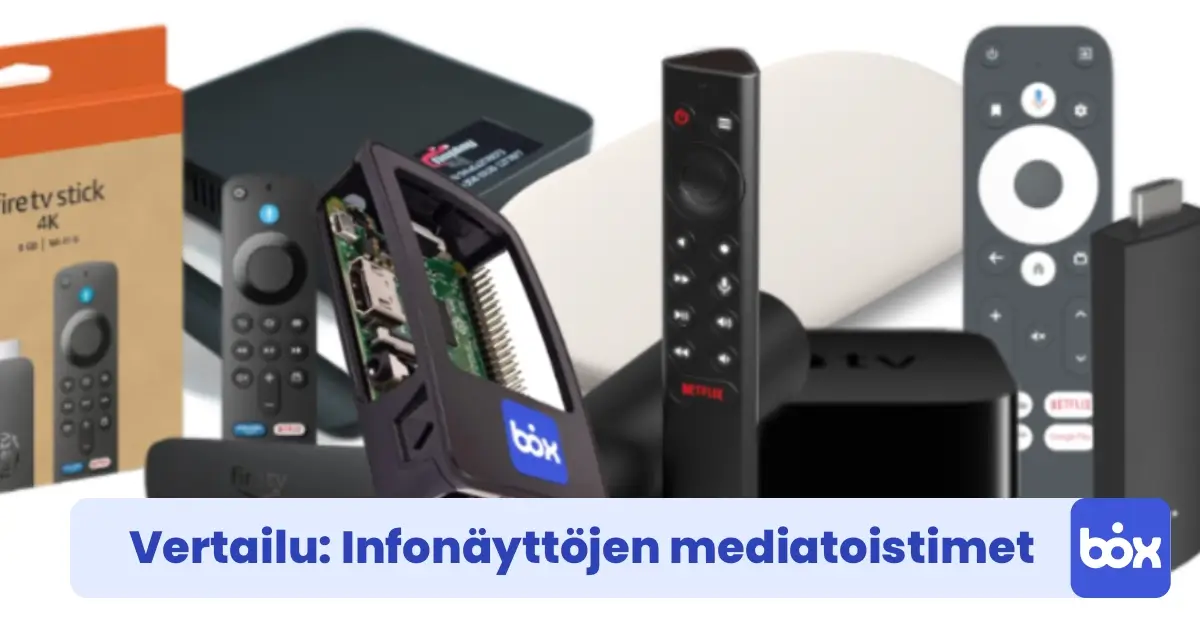
We compare seven digital signage media players and management systems on price, software cost, pre-installation, number of users, and ease of setup, so you can pick the right one.
In this article we compare seven digital signage media players and their management systems. We focus on device price, monthly software cost, pre-installation, user management, ease of setup, and compatibility with different screens. All solutions in this comparison work with any HDMI display, so you don't need to buy a new screen if you already have a suitable one.
The comparison includes both turnkey solutions and DIY combinations where hardware and software are sourced separately. The lowest monthly fee doesn't always mean the best value. A cheap subscription may come with an expensive device or a complex setup process. Read through before you decide.
| Provider | Device | Monthly fee | Pre-installed | Users | Setup |
|---|---|---|---|---|---|
| Fisplay | €0 | €31.41 / mo / screen | ✓ | 1 | Easy |
| Apple TV | €199 | No own management | – | N/A | Requires expertise |
| Fire TV + OptiSign | €74.99 | from €7.50 / mo / screen | – | Unlimited | Moderate |
| Google TV + ScreenCloud | €139 | €18 / mo / screen | – | Unlimited | Moderate |
| NVIDIA Shield | €159 | No own management | – | N/A | Requires expertise |
| Strong Leap Una + PlaySignage | €59 | from €7.50 / mo / screen | – | Unlimited | Difficult |
| InfoBox | €59 | from €7 / mo / screen | ✓ | Unlimited | Very easy |
1. Fisplay
Fisplay is a Finnish digital signage solution that ships its own device with pre-installed software ready to use out of the box. The device connects via HDMI and content is managed through a web browser with no separate app installs needed. Setup is straightforward, almost as smooth as InfoBox.
Fisplay's main drawback is cost: at €31.41/month per screen, it is the most expensive monthly plan in this comparison, at nearly 4.5× the price of InfoBox's annual plan for 10+ screens. The subscription also only includes one user account, which limits usefulness for teams. As screen count grows, costs escalate quickly.
- Device price: €0 (included in subscription)
- Software price: €31.41 / mo / screen
- Pre-installed: Yes
- Users included: 1
- Ease of setup: Easy
2. Apple TV
Apple TV works as a digital signage display by mirroring content via AirPlay from an iPad or Mac. This means the source device must remain on and connected to the same network at all times. If it goes to sleep or leaves Wi-Fi range, the screen stops.
In practice, Apple TV is not suitable for a remotely managed signage system. It works well in a meeting room where content is projected occasionally, but not in a restaurant or retail store where the display needs to run automatically without staff intervention. Third-party signage apps for Apple TV exist (e.g., Yodeck), but they require an iOS ecosystem and add licence costs. Of all seven options, this requires the most technical setup.
- Device price: €199 (Apple TV 4K)
- Software price: No built-in management; requires a third-party app
- Pre-installed: No
- Setup method: AirPlay from iPad / Mac, or install a signage app from the App Store
- Ease of setup: Requires expertise
- Best for: Meeting room mirroring, not remote-managed digital signage
3. Fire TV + OptiSign
Amazon Fire TV Stick is an affordable Android-based streaming device that can be converted into a signage player using OptiSign. The app is downloaded from the Fire TV app store, and management then happens through a browser-based dashboard. Hardware cost is reasonable and the monthly fee starts at €7.50, a competitive price point.
The challenge is setup: Fire TV's interface is designed for streaming, not professional signage management. Configuring OptiSign requires several steps, including enabling the app store, logging in, and registering the screen, and the device doesn't arrive pre-configured. For a small business without IT support, this can slow down deployment considerably.
- Device price: €74.99 (Fire TV Stick 4K)
- Software price: from €7.50 / mo / screen (OptiSign)
- Pre-installed: No; app installed manually
- Users: Unlimited
- Ease of setup: Moderate
4. Google TV + ScreenCloud
Google TV (e.g. Chromecast with Google TV) paired with ScreenCloud is a feature-rich combination that scales well for larger deployments. ScreenCloud is an internationally recognised platform with an extensive integration library: news feeds, Google Slides, Canva, social media, and much more.
The monthly fee of €18/screen is the second highest in this comparison, and the device (€139) is also pricier. ScreenCloud is primarily aimed at larger organisations that need advanced integrations or centralised management across dozens of screens. For a business with 2–5 screens, the cost is easily disproportionate. Like Fire TV, Google TV requires a manual app registration step during setup.
- Device price: €139 (Chromecast with Google TV 4K)
- Software price: €18 / mo / screen (ScreenCloud)
- Pre-installed: No
- Users: Unlimited
- Ease of setup: Moderate
- Best for: Larger organisations needing advanced integrations
5. NVIDIA Shield
NVIDIA Shield Pro is the most powerful device in this comparison, built for demanding gaming and 4K media playback. As an Android TV device, it can run virtually any signage app, including ScreenCloud or OptiSign. If your displays need to output heavy video content or 4K footage at high frame rates, Shield handles it better than any other option here.
The downsides are price (€159) and the absence of any pre-installed signage software, so everything must be configured manually. Shield is also a consumer device, so its long-term durability under 24/7 commercial operation may be lower than purpose-built hardware. Setup requires clear technical knowledge.
- Device price: €159 (NVIDIA Shield TV Pro)
- Software price: No built-in management; requires a third-party app (e.g. OptiSign or ScreenCloud)
- Pre-installed: No
- Setup method: Download a signage app from Google Play, register the screen in the management dashboard
- Ease of setup: Requires expertise
- Best for: Heavy 4K video content or technically confident users
6. Strong Leap Una + PlaySignage
Strong Leap Una is an affordable Android media device available for €59. Paired with PlaySignage (from €7.50/month/screen), the total cost stays low. The price-to-performance ratio is good, and PlaySignage is a solid platform for basic use cases.
The biggest issue is setup complexity: Strong Leap Una requires manual configuration that does not flow as smoothly as Fire TV or Google TV. PlaySignage registration and screen pairing involve multiple manual steps, and the device has no pre-installed software. Technical support is available, but only in English.
- Device price: €59
- Software price: from €7.50 / mo / screen (PlaySignage)
- Pre-installed: No
- Users: Unlimited
- Ease of setup: Difficult; the most technical option in this comparison
7. InfoBox
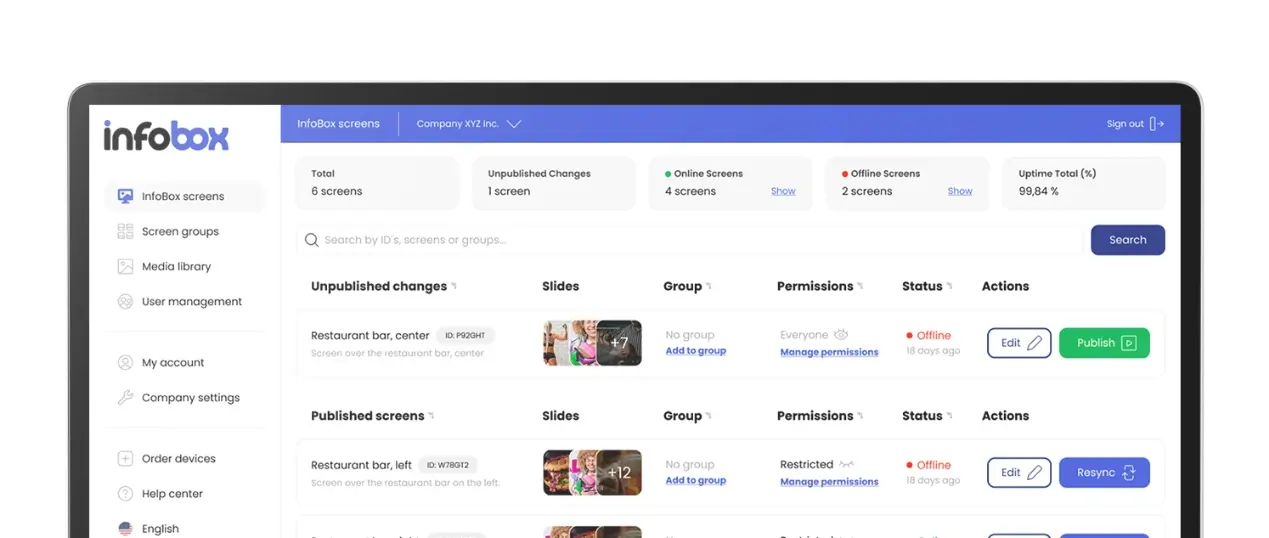
InfoBox is a Finnish Plug & Play digital signage solution delivered pre-configured. Plug the device into your display via HDMI, connect it to the network, and it's ready. Content management is handled through a browser-based web app accessible from any device.
InfoBox's key advantage over competitors is the combination: competitive annual pricing (€9/month for 1–9 screens, €7/month for 10–50 screens, both billed annually), a pre-installed device, unlimited users, and local support. Fisplay is the only other pre-installed option, but it costs 4.5× more per month and includes only one user. Fire TV + OptiSign and Strong Leap + PlaySignage are similarly priced but require self-installation.
InfoBox also runs on any Android device via Google Play. If your business already has a compatible Android TV screen or device, you can download the InfoBox app directly without buying a separate media player.
- Device price: €59 (HDMI media player, pre-installed)
- Software price (all billed annually): €9 / mo / screen (1–9 screens) · €7 / mo / screen (10–50 screens) · 50+ screens: custom quote
- Pre-installed: Yes; ready to use immediately after plugging in
- Users: Unlimited
- Ease of setup: Very easy
- Support: Phone and email
Which device is right for you?
The decision comes down to two factors: how much technical expertise your team has, and how many screens you need.
- You want the easiest possible setup with no IT skills required: InfoBox or Fisplay. InfoBox is significantly cheaper and scales to unlimited users.
- Budget is tight and you're comfortable doing the setup yourself: Fire TV + OptiSign or Strong Leap Una + PlaySignage. Monthly cost is similar to InfoBox, but installation takes more time.
- You need advanced integrations (data dashboards, social media feeds, etc.): Google TV + ScreenCloud is the most feature-rich, but also the most expensive on a per-screen basis.
- Your screens display heavy 4K video in demanding environments: NVIDIA Shield has the most powerful hardware, but requires the most configuration.
- You already have an Android TV screen: Download the InfoBox app directly from Google Play with no separate media player needed.
Conclusion
There is no single universal winner in this comparison. The best solution always depends on your team's size, technical confidence, and budget. For most small and medium businesses that want a digital display up and running without an IT project, InfoBox offers the best combination of price, ease of use, and support.
If you want to see InfoBox in practice before committing, book a free 15-minute demo. We'll walk through every feature and answer questions specific to your situation. You can also explore pricing or browse hardware in the web shop.
If you don't want to assemble a player and a screen separately, digital signage leasing is also available: a Hisense or Maxhub professional display (32–100 inches), InfoBox software, wall mount, and pre-installation in one package starting at €24 per screen per month (36-month lease through Grenke). The display ships with the InfoBox app pre-installed and linked to your account.

Author
Kasper Välimäki
CEO, InfoBox
Kasper is the founder and CEO of InfoBox. He has helped hundreds of Finnish businesses deploy digital signage in restaurants, retail stores, offices, and construction sites.
Learn more