12 digital signage content ideas with real examples: menus, offers, live data, social proof. What works, what to skip and how to schedule it all.
Buying the hardware is easy. The stick goes into an HDMI port, the screen lights up, and the software is running in five minutes. The hard part comes next: what do you actually put on the screen? A blank screen, or one looping the same slide forever, is an expensive decoration. Content that has been thought through pays for itself in extra sales and saved staff time.
In a FedEx Office survey of 1,000 shoppers, 76% said they had walked into a store for the first time because of its sign or screen alone (FedEx Office, 2012). A screen is not a technical detail, it is a sales and communication tool. Here are 12 concrete content ideas that work in restaurants, shops, offices, and on worksites, plus how to choose the right mix for your own screen.
Key Takeaways
- A screen that works combines selling content (offers, menus), useful information (hours, wayfinding), and atmosphere (brand video) rather than repeating just one thing.
- Scheduling content by daypart drives extra sales: a morning customer wants different things than an evening one, and showing the same content all day leaves money on the table.
- The biggest mistake is letting content go stale. Schedule recurring content once, and the screen stays fresh without daily work.
- InfoBox software is €9/month per screen billed annually (1-9 screens) or €7/month per screen (10-50 screens). It runs directly on an Android TV, or on a €59 stick for screens that need one.
1. Daily offers and promotions
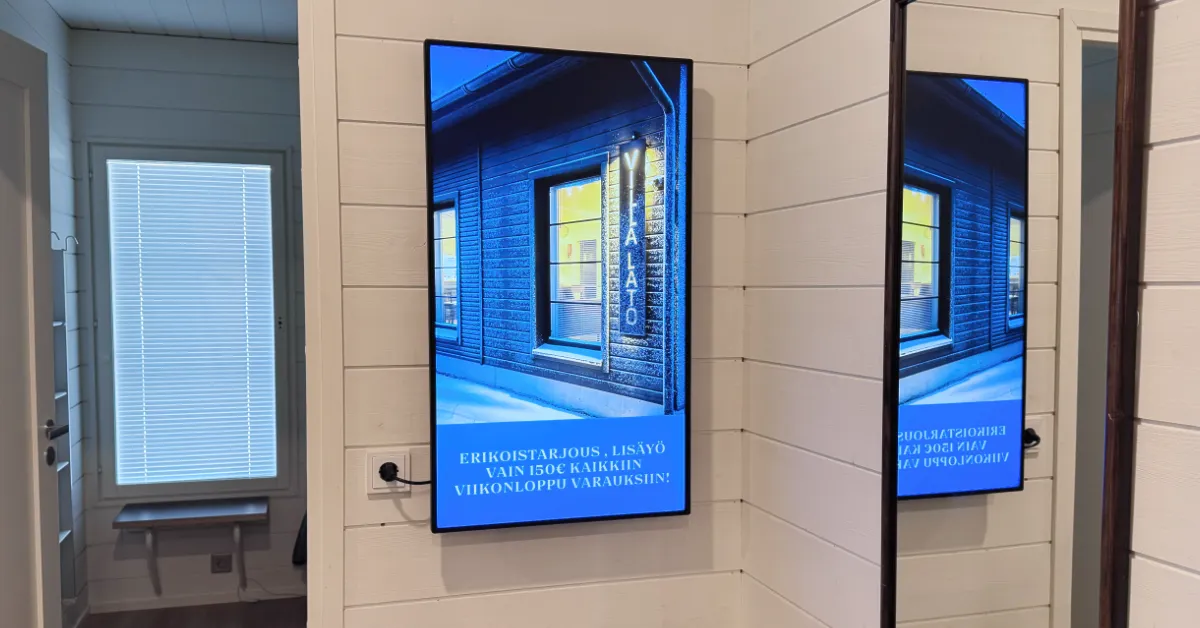
This is the highest-return content in almost any business. Today's lunch, the deal of the week, happy hour, or a two-for-one campaign steers the customer toward exactly what you want to sell most. A moving, changing offer gets noticed in a way a paper poster cannot: in a QSR Magazine survey, 68% of customers said they were more likely to buy a product after seeing it on a screen (QSR Magazine, 2024). The key is scheduling: put the offer up at the right time and pull it the moment it ends, so a customer never sees a stale price.
2. Menu, price list, or product range
A restaurant menu, a cafe's drinks list, a barber's price list, or a shop's hero products belong on screen because they answer the customer's first question without staff having to do anything. Digital menu boards lift sales by 3-5% on average in quick-service chains (WAND Digital, 2024). Keep the list short and readable: a screen is read in a few seconds, so highlight the headline items instead of cramming the whole range onto one slide.
3. A lunch menu that updates itself
If you serve lunch, the lunch menu is the single most-watched piece of content of the day. Updating it manually every morning is exactly the kind of job nobody has time for. The easiest fix is to integrate Lounastaja: point the screen at your Lounastaja URL once, and the list updates on screen automatically as you update it anyway. The same feed can also appear on your website and in Google Maps, so one entry does all the work.
4. Opening hours and practical info
Opening hours, accepted payment methods, where the restroom is, allergen labels, and the Wi-Fi password are dull but essential content. They reduce friction and answer the questions staff would otherwise repeat at the counter. This content does not go out of date quickly, so it is a good fit for filling the quieter slots in the rotation between sales messages.
5. Reviews and social proof
A Google review, a photo taken by a customer, a star rating, or a press mention works on screen just as well as it does on your website. A trust signal lowers the bar to buy, and it is essentially free content you already have. Feature genuine reviews and photos of real customers, because a generic stock photo is spotted instantly and convinces no one.
6. Upcoming events and announcements
Gigs, theme nights, booked slots, campaign days, or upcoming renovations are worth flagging in advance. A screen reaches exactly the people who are already on site and most likely to return. Botta Events guides visitors through its four-storey event venue to the right place at the right time using scheduled screens, which keeps wayfinding clear without putting a staff member at every door.
7. Useful information for waiting areas
A customer waiting at a pharmacy, a deli counter, a garage, or a public office is glad to have something useful to look at. Service guidance, common questions, opening hours, and current notices on screen cut down on unnecessary questions and make the wait feel shorter. The same screen can rotate offers in between, turning waiting time into selling time.
8. Wayfinding and customer guidance
In a large space, one screen replaces a jungle of ten signs: a floor plan, arrows to departments, a directory by floor, or directions to the entrance. Clear digital wayfinding reduces both confusion and questions, and it can be updated in seconds when the space or an event changes. This is especially useful in event venues, shopping centres, and offices where visitors change often.
9. Live data: weather, news, and social
A weather forecast, news headlines, public transport times, or your own Instagram feed give the screen life and a reason to glance at it again. In InfoBox these are added as a website slide via a URL, so the content updates itself from the source. Use these as complementary content alongside your selling material, not as the main act.
10. Brand video and atmosphere
A beautiful shot of the food, a slow-motion coffee pour, a video of a product being made, or a mood clip of the space stays in the customer's mind and keeps social media turning. A moving image glowing in the window pulls passers-by inside: a window display increases visibility and footfall. Rotate this content between selling slides so the screen never feels like just a price list.
11. Internal comms: staff, safety, and metrics
Not all content is for customers. In an office, a screen can show the day's metrics, the calendar, or a welcome message for visitors; on a worksite, safety instructions and current notices on the break-room screen. For example, KSBR piloted InfoBox on two construction sites for exactly this. Business metrics can be displayed through the Power BI integration, so the figures update on screen automatically.
12. Seasonal and themed content
Christmas, Midsummer, Valentine's Day, back-to-school, or a local event always give a reason to refresh the screen's look. Seasonal content feels current and gives you licence to push seasonal products at full price. Prepare the themed slides in advance and schedule them to start and end automatically, so you do not have to remember it in the middle of a busy day.
How to decide what goes on your screen
You do not need all twelve. A good starting point is to split the screen's time into three: roughly 70% selling content (offers, menu, hero products), 20% useful information (hours, wayfinding, weather), and 10% atmosphere and brand. That way the screen sells without feeling like pure advertising.
The other decisive factor is scheduling. A Cornell Hospitality Quarterly study found that restaurants applying daypart-specific content strategies grew revenue by 5-7% in slower periods (Kimes, Cornell, 2008). The principle applies more broadly: the morning customer, the lunch rush, and the evening visitor all want different things. Define the content for each part of the day once, and InfoBox rotates it automatically.
A practical example for a cafe's window screen: in the morning it runs the coffee list and a breakfast offer, at lunch the soup and salad of the day, in the afternoon the pastry case and a "happy hour at 3pm" reminder, and in the evening a photo of tomorrow's brunch. The same single screen does a different job all day without anyone changing anything by hand.
For a more detailed restaurant content and scheduling model, see the restaurant digital signage guide, which walks through the full daypart schedule hour by hour.
The most common mistake: letting content go stale
A digital screen showing last month's offer is worse than a blank wall, because customers stop trusting whatever is on it. The fix is not a daily scramble but scheduling: set recurring content (hours, weekly campaigns, seasons) to start and end automatically, and reserve just a few minutes a week to swap the day's offers. Keep little text on each slide, too, since a screen is read in a few seconds while walking past.
Conclusion
The best digital sign does not repeat one thing. It combines selling content, useful information, and atmosphere in the right proportions, scheduled to the right time. Start with two or three ideas from this list, schedule them once, and keep the content fresh. The rest is fine-tuning.
If you want to see what your content would look like on screen, book a 15-minute demo, or check the transparent pricing and try the software free for 14 days.
Frequently asked questions
What should you display on digital signage?
The best mix combines selling content such as daily offers, menus and hero products, useful information such as opening hours and wayfinding, and atmosphere such as brand video. A good starting split is roughly 70% selling content, 20% useful information, and 10% atmosphere and brand. In a QSR Magazine survey, 68% of customers said they were more likely to buy a product after seeing it on a screen.
How many content types should one screen have?
Usually 3-5 different content types is enough for one screen. Too many simultaneous messages split attention, while a single repeating slide gets boring. Pick the most important ones, such as the day's offer, the menu, and a couple of atmosphere slides, and rotate them.
How long should each slide be shown?
A good rule of thumb is 5-8 seconds for menus and offers, 8-12 seconds for campaigns, and 10-15 seconds for atmosphere content and video. Switching too fast feels broken, while too slow makes the screen look frozen.
Do I need a separate device or is my current TV enough?
Most of the time the screen you have is enough. InfoBox runs directly on Android TVs and other Android devices, and if your screen is not Android-compatible, the InfoBox stick is available at €59 each, one-time. The software is per screen: €9 per month for 1-9 screens and €7 per month for 10-50 screens, both billed annually.
Can I show different content on different screens?
Yes. You can push the same content to every screen at once, or schedule its own content for each screen and location. Everything is managed remotely from one browser view, from any device.

Author
Kasper Välimäki
CEO, InfoBox
Kasper is the founder and CEO of InfoBox. He has helped hundreds of Finnish businesses deploy digital signage in restaurants, retail stores, offices, and construction sites.
Learn more