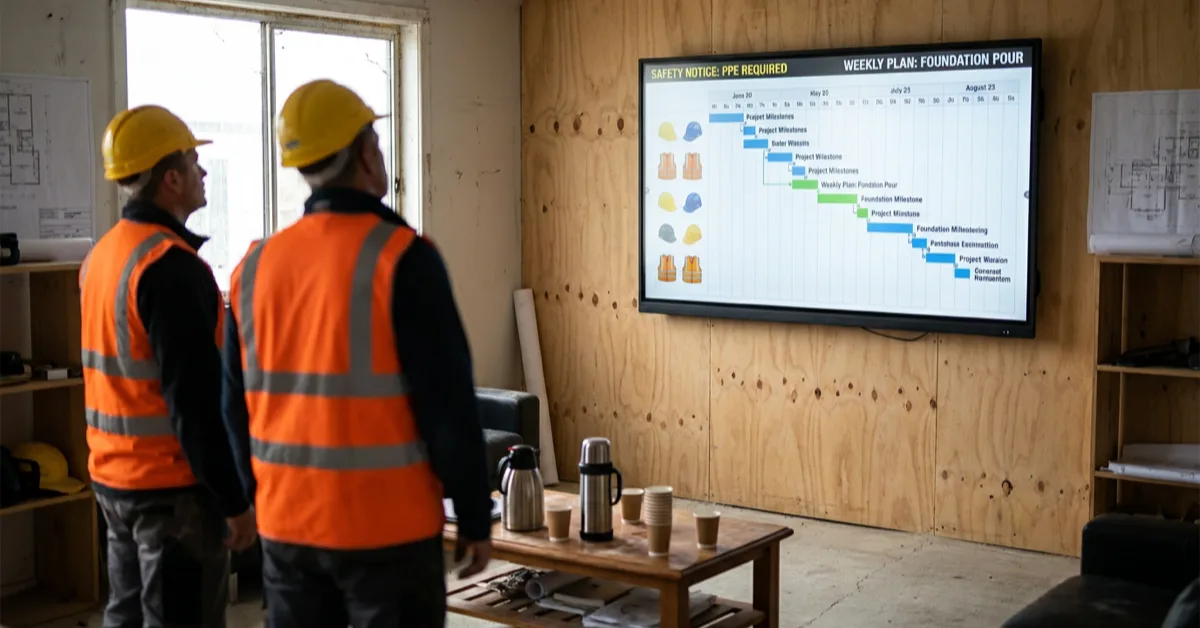
A break-room screen shares safety notices and the day's schedule with the whole crew. See how Sitedrive, TAKT.ing, and CALS update the screen automatically, and content stays visible even offline.
A construction site runs on information. The daily schedule shifts, a delivery arrives early, a safety notice needs to reach everyone before the shift starts, and the person who needs to know is standing in the break room with muddy boots and no time to open an email. A screen on the wall solves this in a way that a printed A4 taped to the door never could. It stays current, it is visible to everyone, and it can update itself from the tools your project already uses.
InfoBox is a Finnish cloud digital signage platform that turns any TV into a remotely managed screen. It starts at €7 per screen per month, runs on the screens you already have, and keeps showing content even when the site connection is weak or drops entirely. This guide covers what construction teams put on their screens, how the Sitedrive integration keeps the schedule current, and how one Finnish contractor got started.
Why construction sites are a natural fit for digital signage
Few workplaces change as fast as a construction site. The plan for Tuesday is not the plan for Wednesday, subcontractors rotate through, and the workforce may not share a first language or check the same channels. Paper notices go out of date the moment they are printed, and email reaches office staff far more reliably than the people on the deck.
A screen in the break room or canteen (taukotila) reaches everyone who takes a coffee break. A screen in the site office gives the project managers a real-time situational picture. Both update from the cloud, so nobody has to walk around swapping printouts. That is the core of the case: the information changes constantly, and a managed screen is the only channel that keeps up without manual effort.
per screen per month for 10+ screens, billed annually
content keeps showing on weak or dropped site connectivity
remote management from the InfoBox Platform, no site visit needed
1. Work-safety briefings and notices
Safety is the first reason most sites put up a screen. A rotating set of safety slides in the break room keeps the message in front of the whole crew: the personal protective equipment required today, the current risk areas, a reminder about the induction process for visitors, and the location of first aid and emergency equipment.
Because the content is managed from the cloud, a site manager can push an updated safety notice to every site the moment something changes, without printing anything or walking the site. Emergency-exit information can be shown as a fixed slide that stays in the rotation, so the route out is always visible.
2. The day's schedule and announcements
The single most useful slide for the crew is often the plainest one: what is happening today. Which trades are on site, which areas are active, what deliveries are expected, and any change from the plan. When this lives on the break-room screen, workers check it over their coffee instead of chasing a supervisor for the same answer.
Announcements work the same way. A change to shift times, a reminder about parking, a note that the crane is out of service in the afternoon: one slide, visible to everyone, updated in seconds from a phone or laptop.
3. Live schedules with the Sitedrive integration
This is where construction signage moves from a noticeboard to a live operations screen. Sitedrive is a construction scheduling tool many Finnish sites already use to plan and track the project timeline. InfoBox shows a Sitedrive view as an auto-updating web slide: you paste the view's URL into the InfoBox Platform, and the screen displays it and keeps it current automatically. No manual export, no screenshots, no re-uploading a PDF every morning.
The practical effect is that the schedule on the break-room wall is the same schedule the project managers are looking at, updated in step with them. When the plan shifts in Sitedrive, the screen reflects it. It is worth being precise about the mechanism: InfoBox shows the Sitedrive view via its URL and keeps it up to date, rather than pulling data through a deeper custom integration. For a site team, that is exactly what is needed, the current schedule on the wall without anyone maintaining it.
4. Progress, logistics, and reporting screens
Sitedrive is one of several tools that show well on a construction screen as an auto-updating web slide:
- TAKT.ing: a takt and progress visual that shows how the work is flowing zone by zone, useful on the site-office screen where the team tracks the situational picture.
- CALS: a delivery and logistics calendar, so the crew can see what is arriving and when without calling the site office.
- Power BI: project reports and dashboards for cost, hours, or quality metrics, shown live on the screen and refreshed automatically as the underlying report updates.
- Weather and shift schedules: both can be shown automatically, so the crew knows what conditions to expect and who is on which shift.
In every case the mechanism is the same: the tool's own view is shown via its URL and kept current automatically. Nobody edits the screen by hand.
5. Reaching a multilingual workforce
Construction crews are often multilingual, and a screen handles this better than a printed notice. You can rotate the same safety message or schedule in more than one language on the same screen, for example a slide in Finnish followed by a slide in English or another language. Visual content, an emergency-exit map or a progress chart, needs no translation at all and reaches everyone regardless of language.
How one Finnish contractor got started
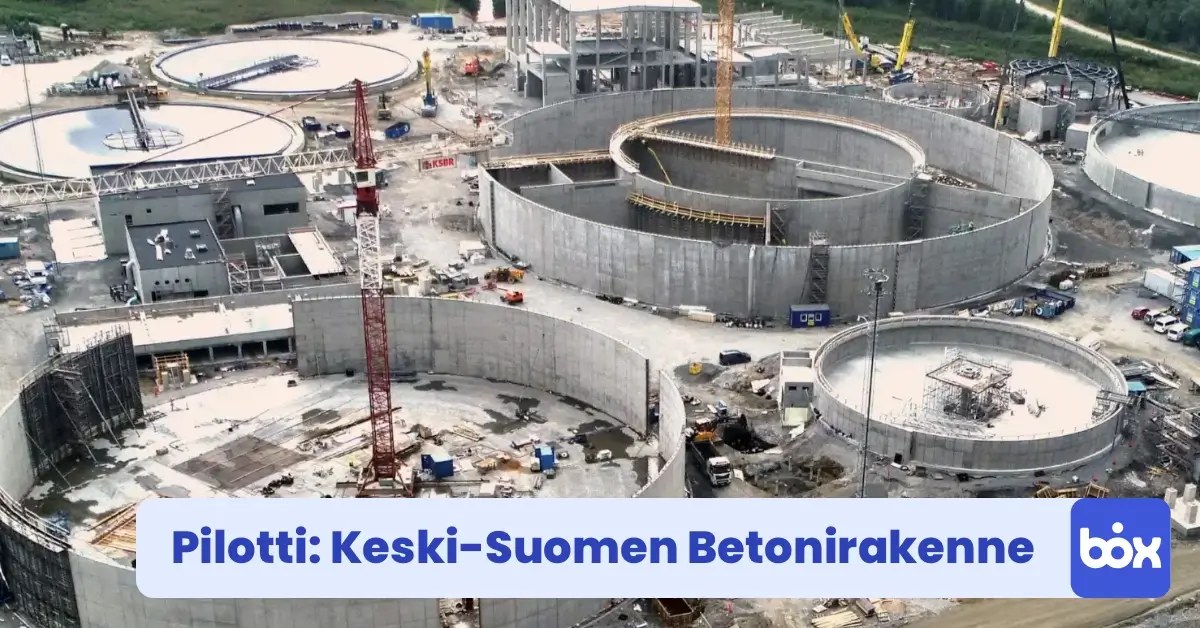
Keski-Suomen Betonirakenne Oy (KSBR) is a good example of a simple start. The contractor piloted the 59 € InfoBox Basic device on two construction sites, using the screens to share safety guidelines and announcements in the break rooms. The setup is deliberately low-effort: an existing TV, a plug-in media stick, and content managed from the cloud. You can read the full story in the KSBR case study.
The KSBR pattern is the one most sites follow. Start with the break room, put safety notices and the day's schedule on the screen, and expand once the crew starts checking it out of habit.
What you need to run InfoBox on a construction site
The hardware requirement is minimal. An Android TV works directly with no extra device. For any other screen, a 59 € InfoBox Basic stick, or any Android device, plugs into the HDMI port with the software pre-installed. You register the screen in the InfoBox Platform, add your first content, and the screen updates within a minute.
Site connectivity is often unreliable, which is exactly why the offline capability matters here. InfoBox caches the current content locally, so a weak or dropped connection does not blank the screen. It keeps showing the last downloaded content and syncs any updates once the connection returns. For a break room in a half-finished building, that reliability is the difference between a screen people trust and one they ignore.
For the site-specific setup, from the break-room safety screen to the site-office situational picture, see the construction digital signage page.
Ready to put a screen on your site?
Start a free 14-day trial or book a 15-minute demo. We will walk through which screens on your site would benefit most and how to wire up Sitedrive and your other project tools.
Frequently asked questions
Does the screen keep working when the site connection drops?
Yes. InfoBox caches the current content locally, so a weak or dropped connection does not blank the screen. It keeps showing the last downloaded content and syncs any updates automatically once the connection returns. This offline capability is one of the main reasons the platform suits construction sites.
How does the Sitedrive schedule get onto the screen?
You paste the Sitedrive view's URL into the InfoBox Platform, and the screen shows it as an auto-updating web slide. When the schedule changes in Sitedrive, the screen reflects it without any manual export or upload. The same approach works for TAKT.ing and CALS. Power BI reports have their own add-on: you pick the report from a list instead of pasting a link.
What hardware do I need for a break-room screen?
An Android TV works directly with no extra device. For any other screen, a 59 € InfoBox Basic stick, or any Android device, plugs into the HDMI port with the software pre-installed. You register the screen in the platform and it is ready in a few minutes.
Can I show safety notices in more than one language?
Yes. You can rotate the same safety message or schedule in more than one language on the same screen, for example a Finnish slide followed by an English one. Visual content such as an emergency-exit map or a progress chart needs no translation and reaches the whole crew.

Author
Kasper Välimäki
CEO, InfoBox
Kasper is the founder and CEO of InfoBox. He has helped hundreds of Finnish businesses deploy digital signage in restaurants, retail stores, offices, and construction sites.
Learn more